


Video AutoDJ lets Streamerr Video play pre-recorded content automatically — ideal for 24/7 channels, filler between live shows, or scheduled programming.
1. Open the Video Library
- Sign in and open your channel.
- Click Video Library in the sidebar (or Upload Media from Quick Actions).
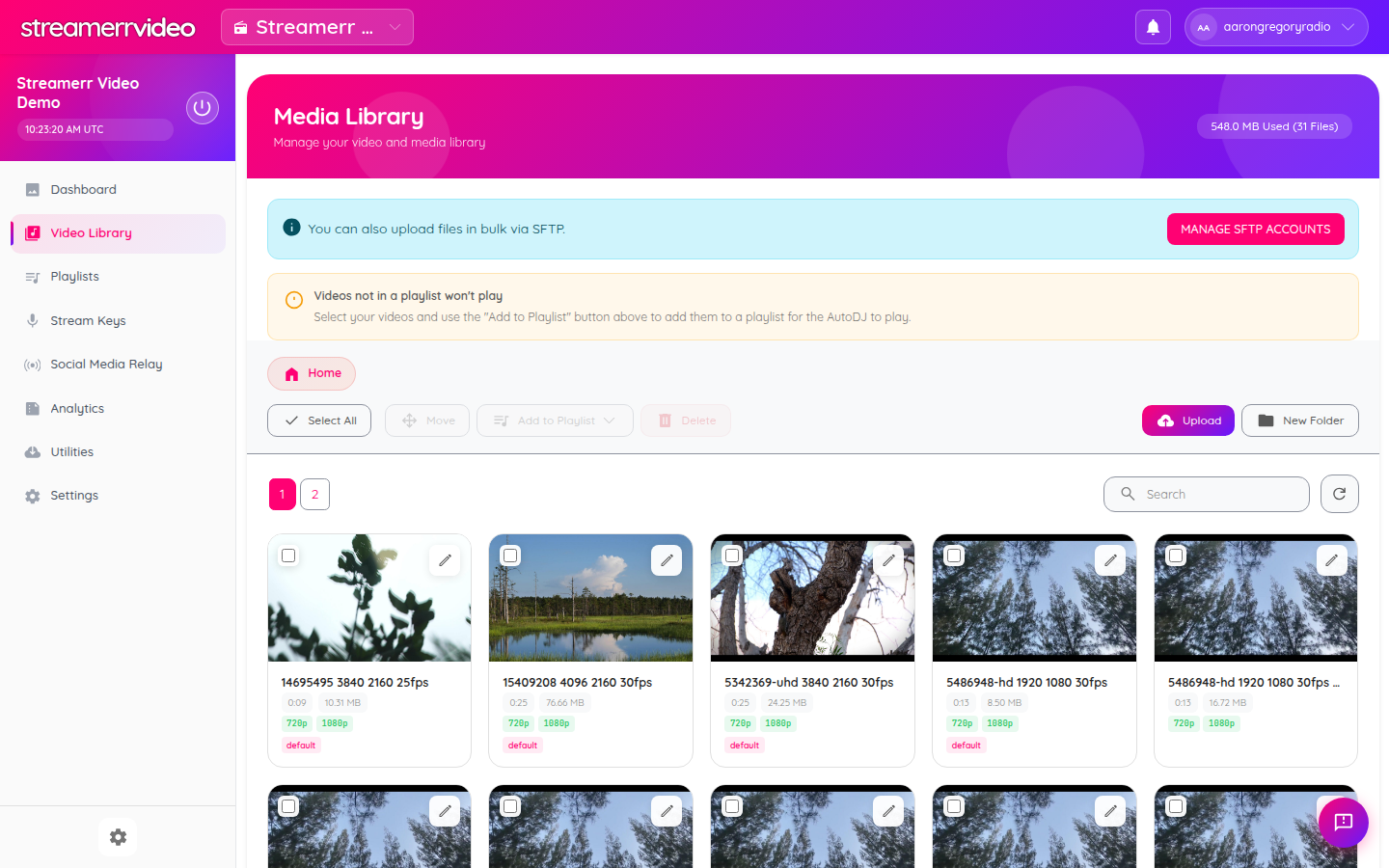
From here you can:
- Upload individual files
- Create folders to stay organised
- Select videos and Add to Playlist
- Manage bulk uploads via SFTP (see the banner on the page)
2. Upload videos
- Click the pink Upload button.
- Choose your video files and wait for processing to finish.
- Confirm each item shows a thumbnail, duration, and resolution badge.
Tip: Videos that are not in a playlist will not play on AutoDJ. The yellow notice on the library page reminds you to add them to a playlist.
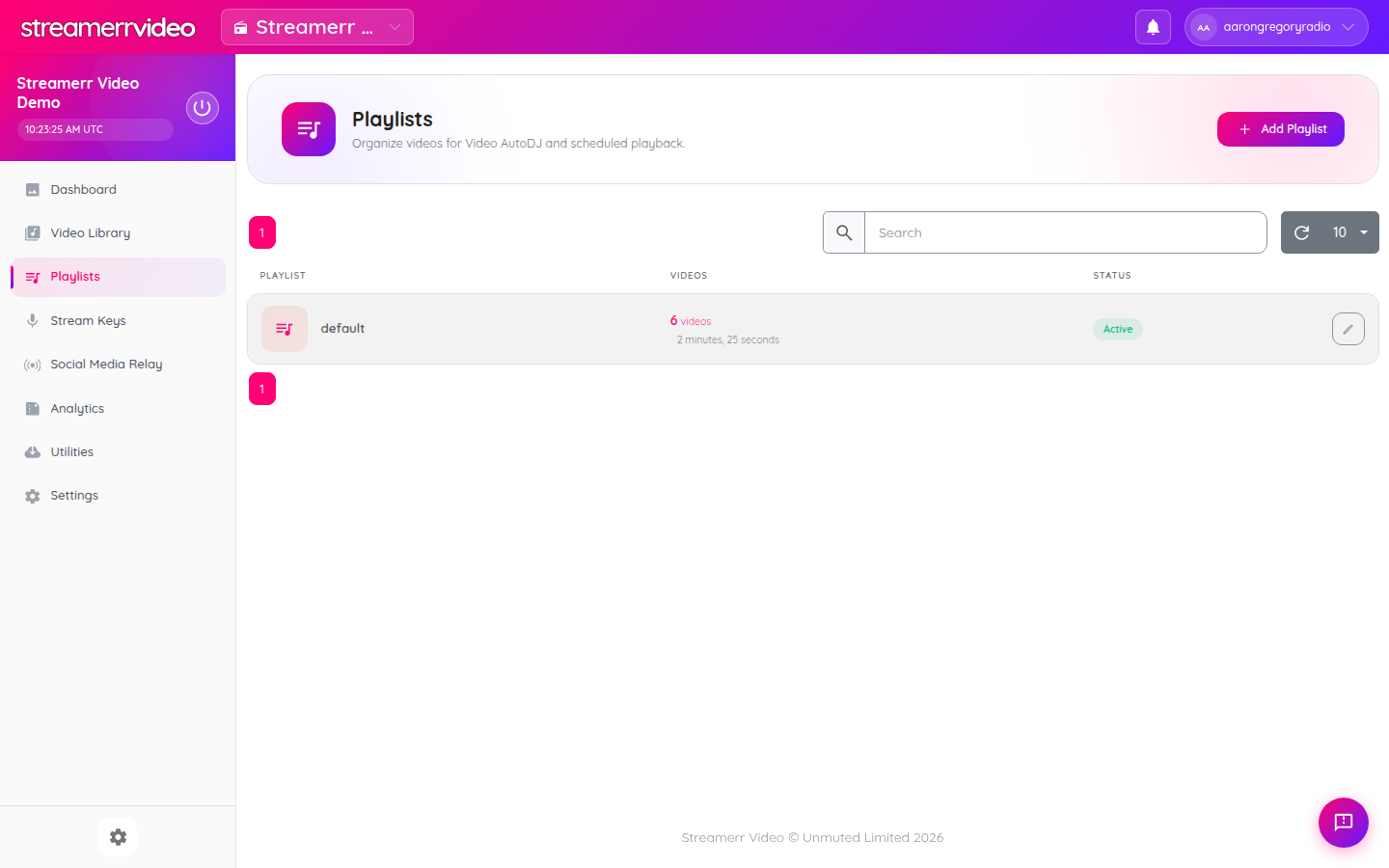
3. Create or open a playlist
- Click Playlists in the sidebar.
- Click Add Playlist (or open an existing playlist such as your default list).
- Give the playlist a clear name (for example
Daytime RotationorOvernight).
4. Add videos to the playlist
- Return to Video Library.
- Tick the videos you want.
- Click Add to Playlist and choose the playlist.
You can also manage order and scheduling options from the Playlists screen once media is attached. For dayparts, news, ads, and live windows, see Scheduling Daily TV Programmes.
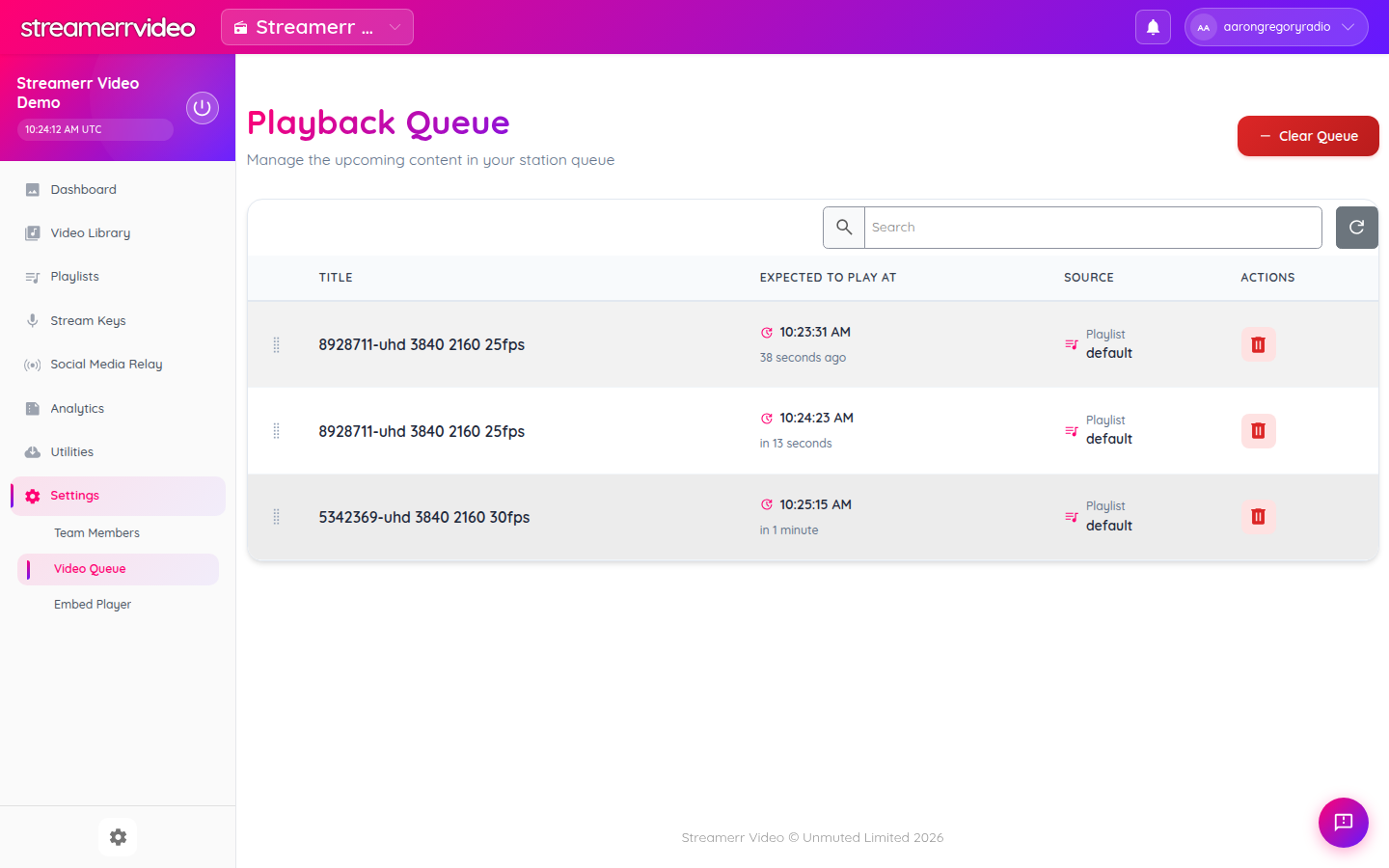
5. Check the Video Queue
Under Utilities → Video Queue you can see what AutoDJ plans to play next — useful for confirming your rotation is working.
6. Bulk upload with SFTP (optional)
For large libraries:
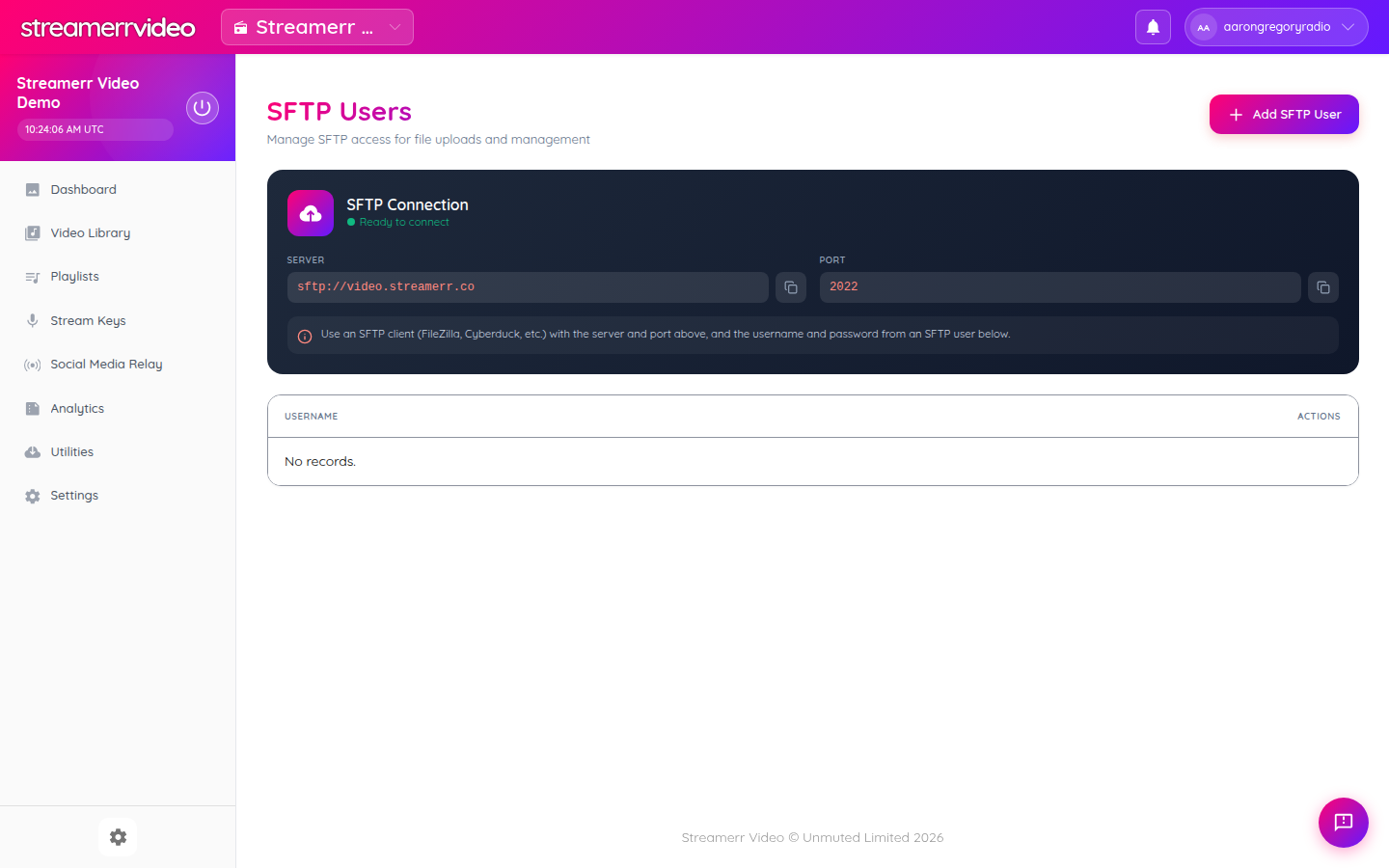
- Open Video Library and click Manage SFTP Accounts, or go to the SFTP users page from Utilities.
- Create an SFTP user.
- Connect with FileZilla, Cyberduck, or similar using:
- Server: sftp://video.streamerr.co - Port: 2022 - The username/password you created
Live vs AutoDJ
- When nobody is streaming live, AutoDJ keeps the channel on air from your playlists.
- When you go live from OBS, your live ingest takes over the channel.
- After the live broadcast ends, AutoDJ can resume from your playlists.
Next: add a logo overlay so AutoDJ (and live) carries your branding.